Beacon 3D+4.89.1
Publisher Description
Scope and sell every project. For contractors, adjusters, and homeowners.
The one app to scope and sell every project. All your trades. All your people. All in one place. Contractors, adjusters, and homeowners trust Hover to get the job done.
For Pros:
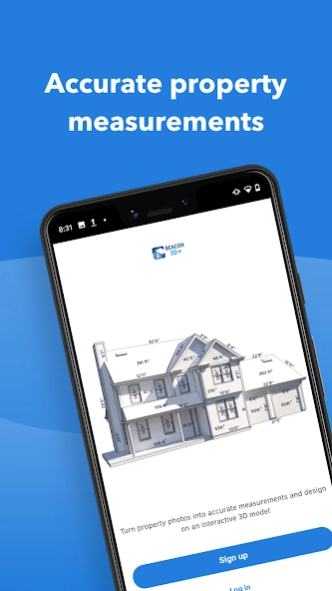
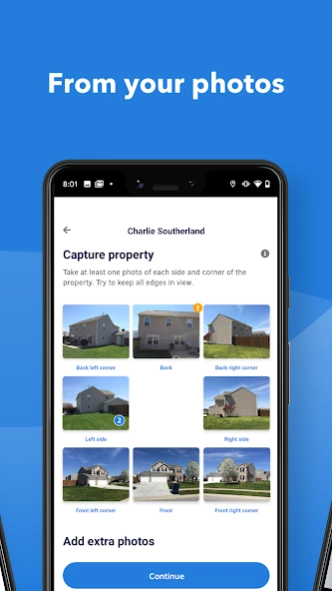
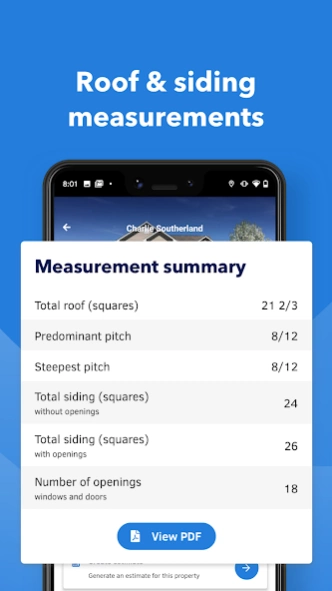
Measure everything. Get detailed, to-the-inch accurate measurements from just 8 smartphone photos or by uploading a blueprint plan. No measuring or tracing required. For roofing, siding, soffits, eaves, fascia, trim, gutters, windows, doors, and more.
Document anything. Easily and consistently capture project notes and photos at any point during the job. Leverage detailed templates covering inspections, liability, punchlists, team hand-offs, and more—or create your own custom template.
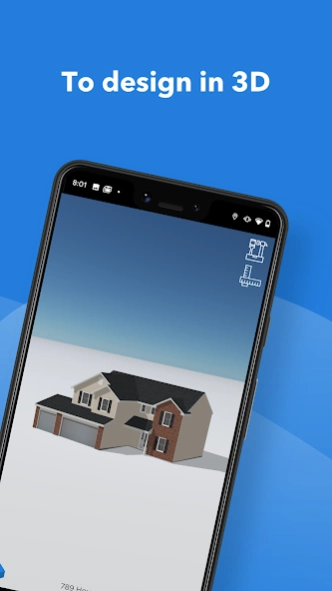
Design to sell. From inspiration tools powered by AI to interactive 3D property models, all from photos or a blueprint upload. Visualize your projects, the products you sell, and share it with anyone, or export it as a BIM file for other applications. And when you’re ready, add all the final touches like landscaping with photo-realistic renders you can edit after processing.
Takeoffs in two clicks. Generate ready-to-order Material Lists directly from Hover's measurements. Access over a hundred customizable material templates, built by industry experts and from the most trusted brands, to generate complete Material Lists—without number crunching or data entry. You can mix materials, trades, and even submit material orders digitally to your local supplier.
For Homeowners:
Working with an insurance company? Hover helps streamline your underwriting or claims process.
Want to remodel? Find inspiration with Hover’s design tools to see what your potential project will look like ahead of time.
Questions? Get in touch anytime: support@hover.to
About Beacon 3D+
The company that develops Beacon 3D+ is HOVER. The latest version released by its developer is 4.89.1.
To install Beacon 3D+ on your Android device, just click the green Continue To App button above to start the installation process. The app is listed on our website since 2024-03-25 and was downloaded 5 times. We have already checked if the download link is safe, however for your own protection we recommend that you scan the downloaded app with your antivirus. Your antivirus may detect the Beacon 3D+ as malware as malware if the download link to to.hover.android.beacon is broken.
How to install Beacon 3D+ on your Android device:
- Click on the Continue To App button on our website. This will redirect you to Google Play.
- Once the Beacon 3D+ is shown in the Google Play listing of your Android device, you can start its download and installation. Tap on the Install button located below the search bar and to the right of the app icon.
- A pop-up window with the permissions required by Beacon 3D+ will be shown. Click on Accept to continue the process.
- Beacon 3D+ will be downloaded onto your device, displaying a progress. Once the download completes, the installation will start and you'll get a notification after the installation is finished.
Program Details
System requirements
Download information
Pricing
Version History
version 4.89.1
posted on 2024-03-25
In this update:
* Fix for a crash in the camera experience
Feedback, feature requests, or success stories, please share them with our team at support@hover.to.
We look forward to hearing from you!
version 4.89.0
posted on 2024-02-29
We've made improvements and fixed some issues.
Feedback, feature requests, or success stories, please share them with our team at support@hover.to.
We look forward to hearing from you!
version 4.87.0
posted on 2024-02-07
In this update:
* Clean up Property Details Lead section
* Fix loading indicator and email validator
* Fix for some users unable to "add another structure"
* Fix for Property List left slide actions
Feedback, feature requests, or success stories, please share them with our team at support@hover.to.
We look forward to hearing from you!
version 4.88.0
posted on 2024-02-07
In this update some users will see:
* Updated Home Screen with "recent" jobs surfaced first for quicker access
* Ability to share Material Lists (PDF and CSV)
* Partial status badge (interiors capture)
* Fix: Minor issues with sign up screens
Also included are improvements to our user experience and bug fixes.
Feedback, feature requests, or success stories, please share them with our team at support@hover.to.
We look forward to hearing from you!
version 4.86.1
posted on 2024-01-25
In this update:
- Fix to support users with email that include domains with hyphens
Feedback, feature requests, or success stories, please share them with our team at support@hover.to.
We look forward to hearing from you!
version 4.85.0
posted on 2024-01-11
In this update:
* Some users will see an updated Login flow
* Fix: 'Needs approval' tab displays Draft jobs
* Fix: Show content for creating/viewing the Material List instead of the "Learn more" component
* Fix: Laggy swipes in "Property photos"
* Fix: Hero image should be displayed instantly in property details as photos are being uploaded
Whether it's feedback, feature requests, or success stories, please share them with our team at support@hover.to.
version 4.84.0
posted on 2023-12-15
In this update:
* Fix for some user unable to use External Reference Measurement Tool
* Fix so keyboard hides when "Cancel" pressed
Whether it's feedback, feature requests, or success stories, please share them with our team at support@hover.to.
We look forward to hearing from you!
version 4.83.1
posted on 2023-11-22
In this update:
* 4.83.1 fixes a crash on Android 14
* Fix so the volume indicator doesn’t surface inappropriately
* Continues improvements to enhance uploading quality
Whether it's feedback, feature requests, or success stories, please share them with our team at support@hover.to.
We look forward to hearing from you!
version 4.81.0
posted on 2023-10-11
In this update:
* Improved performance on syncing job information for the tabs version of Property Details screen
* When adding photos to a paused job, photos that are retaken no longer replace the hero image
* Improved performance of uploading in poor network conditions
* Support for the Samsung Fold 2 and interior capture screens
Whether it's feedback, feature requests, or success stories, please share them with our team at support@hover.to.
We look forward to hearing from you!
version 4.79.0
posted on 2023-09-28
In this update:
- Some Pro users capturing a Connect job will no longer be able to change the deliverable.
- Users with uncompleted capture and the tab view of Property Details can “capture” from the summary tab.
- Fix for Infinite loading state when resetting cache with no network.
Whether it's feedback, feature requests, or success stories, please share them with our team at support@hover.to.
We look forward to hearing from you!
